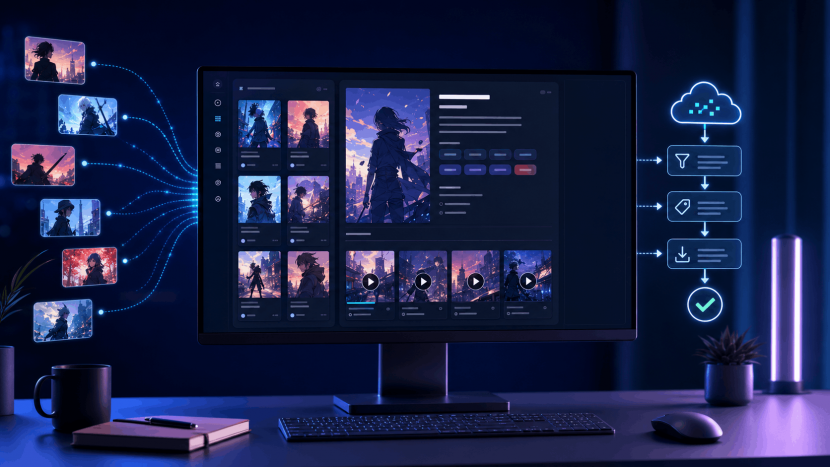
Running an anime website sounds straightforward until you start dealing with the catalog.
A single series may need a title, alternative title, description, release information, genres, artwork, individual episode pages and regular updates. Multiply that work by hundreds or thousands of shows and the site quickly becomes difficult to maintain. Even if the design is ready, keeping the underlying catalog organized can become a full-time job.
Ultimate Anime Scraper is designed to handle much of that repetitive work inside WordPress. Developed by CodeRevolution and connected to AnimeAPI, the plugin can search for anime, import series information and episodes, and continue updating a site according to rules set by its owner.
That does not mean a successful anime website can be created by installing a plugin and forgetting about it. Automation can solve the catalog problem, but it cannot replace editorial judgment, a good user experience or a clear content strategy. Used thoughtfully, however, Ultimate Anime Scraper can provide the technical foundation on which those more valuable parts of the site are built.
Why anime websites are unusually demanding
An ordinary blog post is normally published once and updated occasionally. Anime content behaves differently. A series is connected to seasons, episodes, genres, release dates and sometimes several language versions. New episodes arrive over time, while older titles remain useful to visitors searching the catalog.
This creates two separate workloads. The first is initial population: adding enough structured content for the site to be useful. The second is maintenance: checking for new episodes, correcting metadata, keeping navigation consistent and making sure older pages still work.
Doing all of this manually may be reasonable for a small editorial site covering a handful of shows. It becomes far less practical for a searchable anime directory or a large niche portal. Ultimate Anime Scraper addresses that operational bottleneck by moving discovery and importing into an automated WordPress workflow.
The important word is workflow. The plugin is not the website’s identity, and it is not its entire business model. It is the system that handles repetitive data entry so the owner can spend more time improving presentation, writing original material and serving the audience.
What is Ultimate Anime Scraper?
Ultimate Anime Scraper is a premium WordPress plugin for importing anime information and episodes. It can search by keyword, process multiple anime on a schedule and create WordPress content using information supplied through its supported data workflow.
The plugin works with AnimeAPI, a REST API built specifically to provide anime data to the importer. Instead of requiring a site owner to write API requests, parse JSON responses and build a custom WordPress integration, Ultimate Anime Scraper provides the ready-made implementation. The connection is configured in the plugin, while the resulting content is managed from the familiar WordPress dashboard.
According to the developer’s documentation, imported anime can include supporting information such as the title, description, release date, featured image, genres, tags and creator-related fields. It can also import complete episode collections, run imports manually or automatically, and distinguish between dubbed and subtitled material where source data supports it.
This makes the plugin relevant to more than one kind of project. It can form the catalog layer for an anime discovery site, a searchable reference library, a release-tracking portal or a community site with reviews and discussion built around imported series records.
How AnimeAPI fits into the system
AnimeAPI is the data service behind the plugin. Its public website describes a large searchable anime database and provides the API responses that Ultimate Anime Scraper turns into WordPress posts.
The practical benefit is separation of responsibilities. AnimeAPI handles the remote catalog and returns structured data. The plugin handles the WordPress side: search rules, import timing, post creation, metadata and presentation. For a site owner, the two products behave like one connected system rather than two unrelated tools.
Access is linked to a valid Ultimate Anime Scraper purchase code. After buying the plugin, the customer can register that code on AnimeAPI, generate an API key and add it to the plugin settings. The standard purchase includes a limited daily API allowance, while higher-volume access is offered separately through RapidAPI.
At the time of writing, AnimeAPI’s public pages display inconsistent figures for the included daily request allowance. Its pricing, registration and home pages mention 50 calls per day, while the API documentation mentions 500. Because quotas can also change, customers should confirm the active limit during registration or with support before planning a high-frequency publishing schedule.
For most sites, the more important question is not how many requests can be made, but how efficiently they are used. A carefully targeted schedule is generally better than importing everything available. It keeps the database cleaner, the archive more coherent and the editorial workload under control.
From API result to organized WordPress content
The most useful aspect of Ultimate Anime Scraper is not simply that it can fetch information. It is that the information arrives inside WordPress, where it can be categorized, edited, searched and presented through the site’s theme.
An owner can search for anime by keyword and manually import selected results. This is useful when launching a focused site or building a collection around a specific genre, studio or era. For ongoing coverage, scheduled rules can periodically look for eligible anime and publish or update content automatically.
The plugin can assign categories and tags, populate descriptive fields and set featured images. It also includes template controls, which help determine how imported information is arranged in the resulting post. This matters because a raw data response is not yet a usable page. Visitors need a clear hierarchy: the series name, artwork, summary and episode access should be immediately understandable.
Templates also provide consistency. When every series follows the same basic structure, the site becomes easier to browse and maintain. Design changes can be approached as a system rather than as hundreds of unrelated pages.
Import full series and episodes without repetitive publishing
Episode management is where manual anime publishing becomes especially slow. Creating a parent series page is only the beginning; every episode must be associated with the correct title, organized in the right order and made accessible to the visitor.
Ultimate Anime Scraper can import anime together with their available episodes. It can process an entire series automatically or allow the administrator to initiate an import manually. Scheduled processing can then check for additions and keep the catalog moving as new material becomes available.
This is particularly helpful for seasonal anime, where many series are updated during the same week. Instead of visiting multiple sources and manually creating an entry for every release, the administrator can monitor the automated result and concentrate on quality control.
Automation should still be supervised. Episode numbering, language labels, embeds and source availability can change. A sensible routine is to review newly generated content, test representative pages and watch the plugin logs for failures. A large catalog magnifies small configuration mistakes, so early checks are much less expensive than repairing thousands of posts later.
Dubbed, subtitled and multilingual catalogs
Anime audiences do not all consume content in the same language or format. The plugin documentation notes support for dubbed and captioned anime, along with multiple languages including English, Italian and Japanese.
This can help a publisher create a more deliberate catalog. A site may focus entirely on subtitled releases, build separate navigation for dubbed content or organize language versions into clearly labeled sections. The technical ability to import several formats is useful, but the user interface must make the difference obvious.
Language support should never become an excuse to create confusing duplicate pages. If two records represent different versions of the same series, visitors should understand why both exist. Consistent labels, sensible taxonomy and links between related versions can turn a potentially messy archive into a useful browsing experience.
The same principle applies to multilingual text. Imported metadata may provide a starting point, but titles, summaries and category labels should be checked for accuracy and natural language. A poorly translated catalog may contain many pages while offering very little real value.
Compatibility with Madara
Ultimate Anime Scraper is documented as working with Madara, a WordPress theme commonly associated with manga and serialized-content websites. That compatibility can be useful for projects that want a ready-made structure for series and episode navigation.
It does not mean Madara is mandatory for every project. WordPress offers many possible designs, and the best choice depends on whether the site is primarily a directory, editorial publication, community or media catalog. Before committing to a theme, test how the imported fields, series pages and episode navigation are rendered on mobile as well as desktop.
A visually impressive homepage cannot compensate for awkward episode navigation. Anime visitors often arrive directly from search or a shared link, so every individual page should provide enough context to identify the series, move to adjacent episodes and return to the main series record.
Control over generated posts
Automated publishing becomes useful only when the administrator remains in control. Ultimate Anime Scraper includes settings for the generated content, including templates, post metadata, featured images, comments and pingbacks.
The ability to enable or disable comments per generated anime is practical for community-driven sites. Comments can add genuine discussion and returning visitors, but they also require moderation and anti-spam measures. A catalog-focused site may reasonably disable them, while an editorial community may treat discussion as one of its strongest differentiators.
The plugin can also add a custom warning message to imported episode posts. This can be used for disclosures, availability notes or other information that should appear consistently across the catalog. It is a small feature, but one that becomes valuable at scale: editing a common notice in one setting is far safer than updating it manually across many pages.
Post templates deserve similar attention. The default configuration may be enough for testing, but a production site should adjust the layout to match its audience. Remove fields that do not help visitors, highlight the information they actually use and avoid covering pages with repetitive boilerplate.
Scheduling without overwhelming the site
A scheduled importer creates a predictable flow of new content, but more frequent is not always better. Every import consumes API requests, database resources and potentially remote page-processing time. It also creates material that may need editorial review.
Start with a conservative schedule. Import a small, relevant collection and observe how long the rules take to run, how much content they produce and whether the results match the intended niche. Check WordPress cron behavior, server logs and database growth before expanding.
The plugin documentation includes proxy and headless-browser support for situations where a source requires more advanced page processing. These tools can be helpful, but they also add complexity and resource use. They should be enabled because a specific workflow needs them, not simply because the options exist.
Sites on shared hosting should pay particular attention to execution limits and memory. A large batch containing many series and episodes can be considerably heavier than publishing a normal blog post. Smaller scheduled batches are often more reliable and easier to troubleshoot.
The SEO value comes from the site, not the import count
It is tempting to measure an automated website by the number of pages it publishes. Search engines and visitors are interested in something else: whether those pages are useful.
An imported title, image and short description may be enough to create a valid WordPress post, but it rarely creates a compelling search result by itself. If similar information is already available on many larger sites, a new domain needs a reason to exist.
That reason might be unusually good navigation, a tightly defined niche, reliable release tracking, original reviews, watch-order guides, seasonal recommendations or thoughtful comparisons. The imported catalog then supports the original work. A review can link to a structured series page; a seasonal guide can draw from consistent categories; a newsletter can point readers toward recently updated titles.
This is a stronger model than treating automation as a substitute for publishing. Ultimate Anime Scraper can maintain the factual skeleton of the site, while human-created content supplies the voice, expertise and point of view that competitors cannot reproduce with the same import rule.
Technical SEO still matters. Use descriptive page titles, clean permalinks, logical internal links and fast templates. Avoid indexing low-value filter combinations, empty archives and duplicate versions that serve no distinct purpose. Generate an XML sitemap, but include only pages that visitors would reasonably want to find.
Most importantly, do not assume that a bigger database guarantees organic traffic. It does not. The quality of the browsing experience, the originality surrounding the catalog and the authority of the domain will determine whether the imported content becomes an asset or simply database weight.
Copyright, streaming rights and responsible use
An anime importer can retrieve information or embeds, but technical access is not the same thing as permission to republish or stream copyrighted work.
Anime episodes, artwork, synopses and translations may be protected by copyright or restricted by license. The availability of a URL through an API does not automatically grant a website owner the right to display, copy, monetize or redistribute the underlying material. Rules also vary by country and by the nature of the content.
Anyone launching a public anime site should review the rights attached to every source, follow applicable terms of service and obtain professional legal advice when the business depends on displaying third-party media. This is especially important for episode streaming. A plugin can automate a technical action; it cannot transfer rights that the source did not grant.
A lower-risk use of the system may focus on catalog metadata, discovery, commentary and links to authorized viewing services. Even then, images and copied descriptions require attention. When in doubt, create original summaries, use properly licensed artwork and make source relationships transparent.
Operators should also provide an accessible contact or rights-request process and respond quickly when legitimate concerns are raised. Responsible publishing is not only a legal precaution. It builds a more durable project that is less likely to disappear after a complaint, hosting suspension or search penalty.
A better editorial workflow for automated anime sites
The safest way to begin is not with full automatic publication. Configure a narrow import rule and send its results to a reviewable status where possible. Examine the titles, descriptions, images, taxonomies and episode structure. Check several mobile pages and test navigation from a direct landing page.
Once the output is predictable, automation can be expanded gradually. Some content may be suitable for direct publication, while unusual or incomplete records remain subject to review. Regular spot checks should continue even after the process appears stable.
It is also worth creating original content before a large-scale launch. A catalog with no editorial layer can feel anonymous. A smaller site with useful guides, clear policies and a recognizable voice is more likely to earn trust.
Think of the plugin as a junior catalog assistant: fast, consistent and capable of repetitive work, but still dependent on clear instructions and supervision.
Performance and maintenance considerations
Every imported series and episode adds rows to the WordPress database, media references and archive relationships. Over time, that can affect searches, backups, administration screens and page generation.
Good hosting and caching help, but database discipline matters just as much. Import only content that fits the site, remove failed test records, optimize images and avoid installing overlapping plugins that add unnecessary queries to every page.
Backups should be tested before major imports or template changes. A staging site is ideal for plugin updates, because a change in the importer or theme can affect a large number of pages at once. Keep WordPress, the theme and Ultimate Anime Scraper updated, and review the changelog before applying a major release.
The plugin’s logs can help identify failed imports and unexpected behavior. Do not wait for visitors to report missing episodes or malformed pages. A simple maintenance routine—checking recent imports, broken links, server errors and API availability—can prevent small issues from spreading across the catalog.
Monetizing an anime website realistically
An organized anime audience can support advertising, affiliate offers, sponsorships, memberships or a newsletter. None of these methods becomes profitable merely because the catalog is automated.
Advertising requires meaningful traffic and must comply with the ad network’s rules. Affiliate content works best when it is genuinely relevant, such as licensed streaming services, collectibles, books or merchandise that the publisher can discuss honestly. Sponsorships depend on audience trust, while memberships need a clear benefit beyond material that can be found elsewhere.
The best commercial strategy usually starts with audience value rather than ad placement. Fast search, accurate release information, thoughtful recommendations and an active community create reasons to return. Monetization can then support the service instead of overwhelming it.
Be cautious about building a business around media for which you do not have the necessary rights. Revenue increases scrutiny, and a site that depends on unauthorized content is not a stable asset regardless of how efficient its importer may be.
Who should consider Ultimate Anime Scraper?
The plugin is a practical fit for WordPress publishers who understand the anime niche but do not want to maintain a large catalog manually. It is also useful for developers building a structured anime portal for a client, provided that content rights and source policies are addressed before launch.
It is less suitable for someone expecting a fully finished business immediately after activation. Theme design, performance, compliance, editorial planning, search strategy and ongoing quality control still belong to the site owner.
Technical beginners can benefit from the ready-made AnimeAPI integration, but they should be comfortable managing WordPress settings, scheduled tasks and hosting resources. A staging installation and a small test import are strongly recommended.
Buying Ultimate Anime Scraper on WPBay
Ultimate Anime Scraper is available on WPBay from CodeRevolution. At the time of writing, the marketplace lists plans starting from $35 per year. Because pricing, package terms and version details can change, confirm the current plan on the product page before purchasing.
Buying through the official WPBay listing provides access to the package offered by its developer, along with the support and update terms shown for the selected license. The AnimeAPI key is then created using the valid plugin purchase code.
Before installation, read the current product documentation and check that the hosting environment can support the intended import volume. It is also sensible to inspect the API’s current allowance and any higher-volume plan before designing a schedule around it.
Frequently asked questions
Does Ultimate Anime Scraper work without AnimeAPI?
AnimeAPI is the service integrated with the plugin for anime data. The standard setup involves purchasing Ultimate Anime Scraper, registering the purchase code for an API key and entering that key in the WordPress settings.
How many AnimeAPI requests are included?
The purchase-code plan includes a limited daily allowance, with higher-volume access available separately. AnimeAPI’s public pages currently show conflicting figures, so verify the active quota on registration or contact support before planning a large import schedule.
Can the plugin import complete anime episodes?
The developer documentation describes support for importing anime with full episode collections, along with scheduled and manual import options. Availability depends on the data returned for a particular series and source.
Can it import dubbed and subtitled anime?
The plugin supports dubbed and captioned material where available, and its documentation mentions English, Italian and Japanese language support. Imported labels should still be checked so visitors can clearly distinguish versions.
Does Ultimate Anime Scraper guarantee search traffic?
No plugin can guarantee rankings or traffic. Automated catalog pages become more useful when they are combined with original editorial content, good navigation, fast performance and a focused audience strategy.
Is imported anime content automatically legal to publish?
No. API access and plugin functionality do not automatically provide copyright or streaming rights. Site owners are responsible for source terms, licenses and applicable law.
Will it work with any WordPress theme?
The plugin is documented as compatible with the Madara theme, while other themes may require testing or template adjustments. Always test series and episode pages on a staging site before a full import.
Final thoughts
Ultimate Anime Scraper solves a real problem: maintaining the structure and update rhythm of a large anime catalog in WordPress. Its AnimeAPI integration removes the need to build a custom data connector, while scheduled imports, metadata handling, episode processing and templates reduce repetitive administration.
Its greatest value appears when automation is treated as infrastructure. Let the plugin manage repeatable catalog tasks, then invest the saved time in original writing, clearer navigation, performance, community and responsible sourcing.
That combination can produce a genuinely useful anime website. Automation supplies scale; the publisher still supplies the reason people should visit.
To explore the service, visit AnimeAPI.org. To review the plugin and current license options, see Ultimate Anime Scraper on WPBay.